
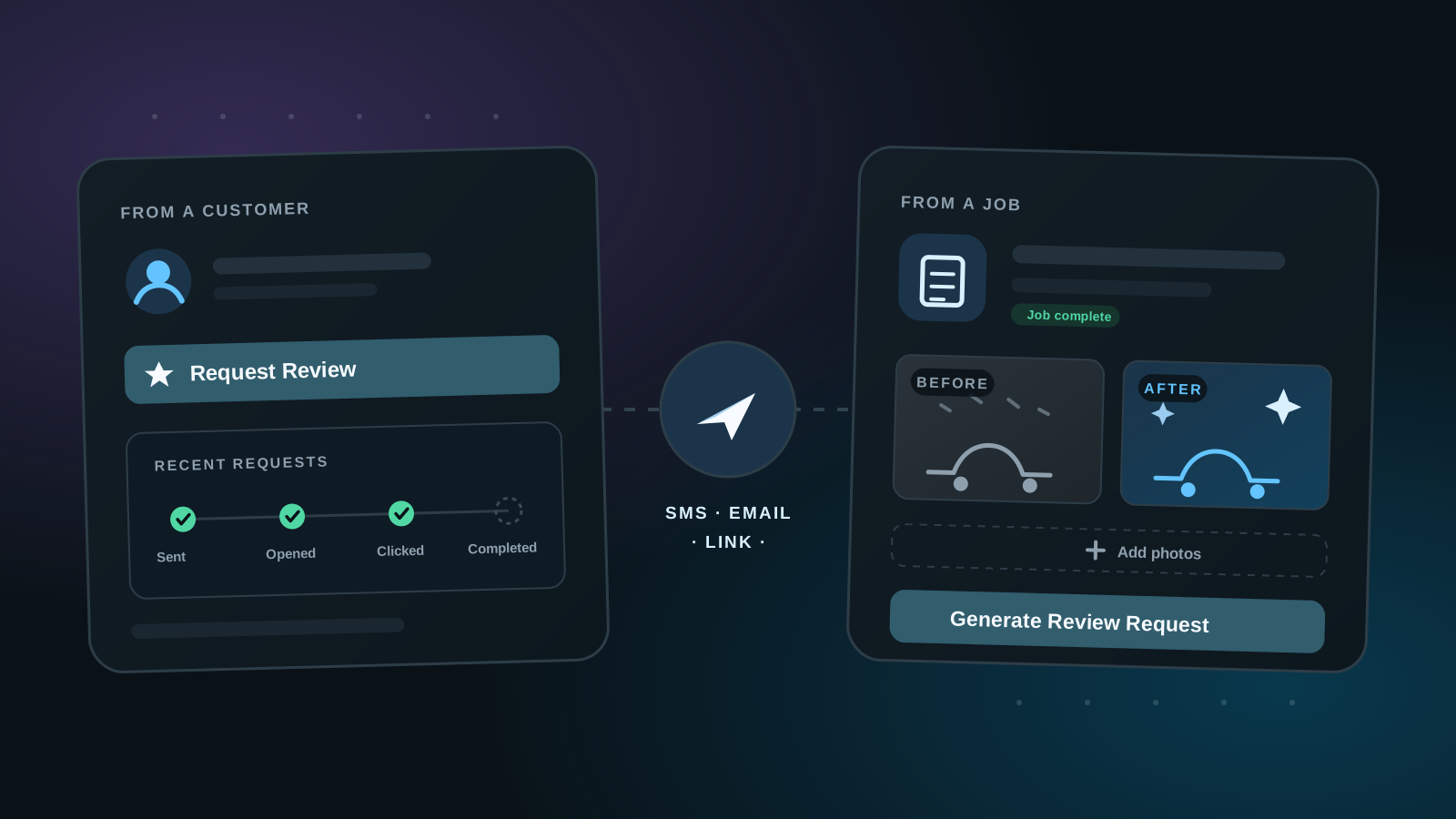
Every review on your profile starts with a review request, and there are two places a request can start: from a customer in your Customers list, or from a job in your workspace. Either way, you can request a review in a few clicks after completing work — without guessing who was contacted last or digging through old messages to find out.
1. Choose the goal of your review request
Before your requests go out, you can set what they're aiming for in your profile's review request settings. By default, review requests direct customers to leave a Cleann.org review — that's what builds your profile's verified reviews and work photos.
For subscribers, requests can be directed to Google or Yelp instead, so you can point your review flow at the platform that matters most to your strategy.
2. Start from a customer record
Your Customers list in the dashboard is the first path. Add the customer you did the work for — their record ties everything together: contact details, request history, and every review request you've sent them. Hit Request Review from the record when the work is done.
3. Or generate one from a job
The second path starts from a job you've created in your workspace. When you generate a review request from a job, you can upload the before and after photos yourself — meaning you control the photos that appear with the customer's review, instead of leaving it to whatever they happen to have on their phone.
That makes job-generated requests the better fit for showcase work: the transformation you photographed on-site is the one customers see next to the review.
4. You choose how the customer receives it
Whichever path the request starts from, you decide how it reaches the customer: via SMS, email, or by generating a shareable link you can pass along however you like.
5. Request history travels with the customer
Each customer record keeps a timeline of recent requests, with every stage tracked: request sent, opened, clicked, and review completed. You can see at a glance which requests landed and which went nowhere.
The record also does the judgment work with you before you ask again. It shows how long it's been since your last request, whether that request was ever opened, and when it's safe to try again — down to suggesting a different channel, like switching to email when a text went unopened.
6. Unsafe sends are blocked for you
Unsubscribed and blocked contact states are respected automatically, so you don't have to track compliance yourself. If a customer opted out, the request doesn't go out.
Wherever your requests are directed, day-to-day follow-up happens across the customer and request views in your dashboard.
7. Every review is verified by Cleann.org
All submitted reviews are scrutinized through a battery of checks — both automated and human verification by Cleann.org. That auditing is what keeps the reviews on your profile credible: customers can trust that the feedback they're comparing came from real requests tied to real work, and we ensure no non-human fake reviews are submitted.